Tutorial
How to Create SEO-Friendly URLs in Joomla: Complete 2026 Setup Guide
Quick Answer
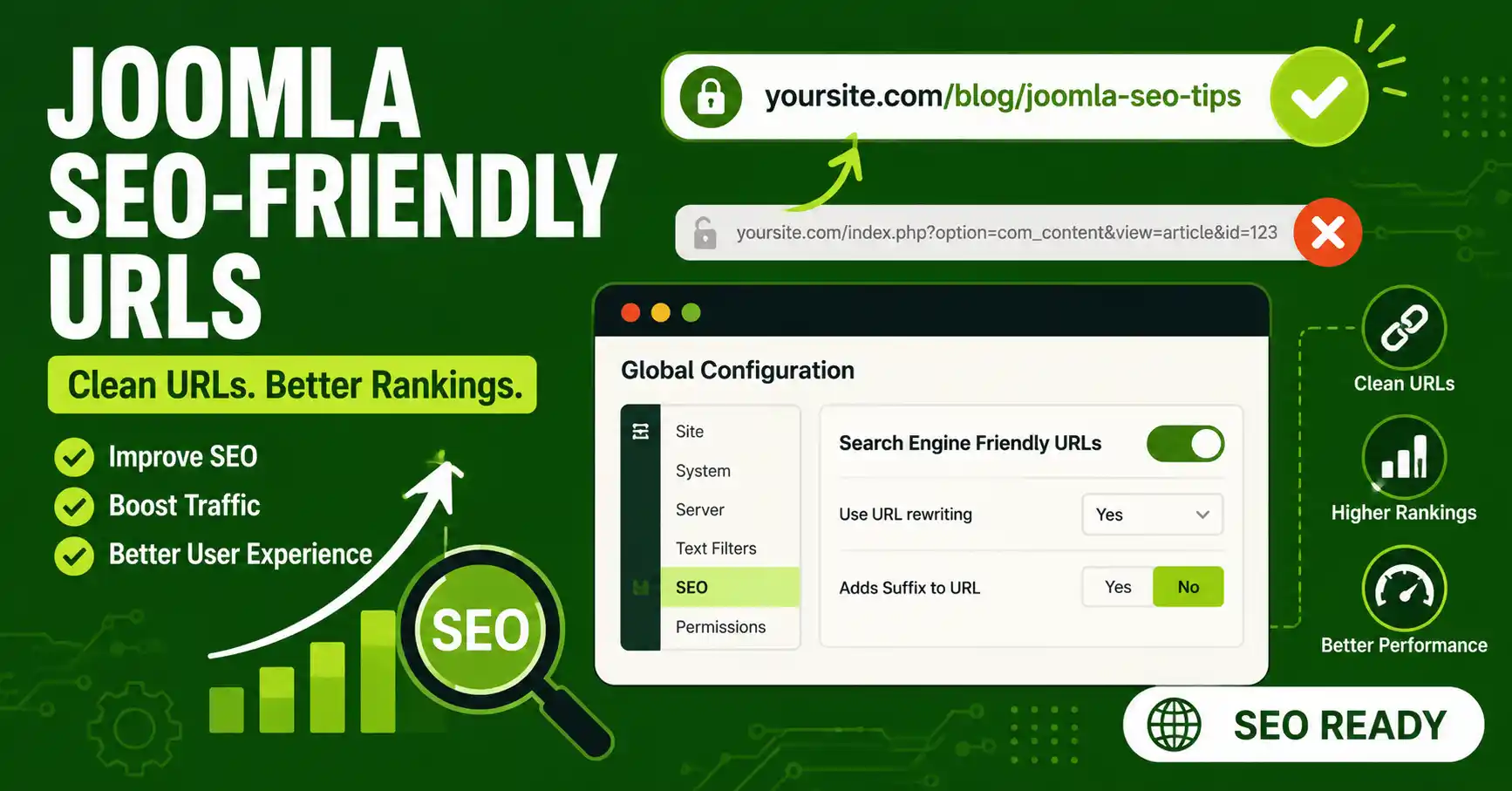
To create SEO-friendly URLs in Joomla, go to System → Global Configuration → Site tab → SEO Settings, enable both Search Engine Friendly URLs and Use URL Rewriting, then rename htaccess.txt to .htaccess in your site's root folder (Apache/LiteSpeed) — or add the matching rewrite rule if you run Nginx or IIS. Joomla 5 and 6 already build SEF-style routes by default; the extra work is switching on URL Rewriting and activating your server's rewrite rules so the /index.php/ segment disappears from every link.
| What you'll need | Details |
|---|---|
| Joomla admin access | Super User or Manager account, to reach Global Configuration |
| Joomla version | 5.4.x or 6.x recommended. Joomla 4 reached end of life in October 2025 and no longer receives security updates |
| Web server | Apache or LiteSpeed with mod_rewrite enabled, or Nginx/IIS with an equivalent rewrite configuration |
| File access | FTP or your hosting File Manager, to rename htaccess.txt |
| A recent backup | URL structure changes can affect existing links — back up the site and database first |
This guide covers enabling SEF URLs in Joomla, turning on URL rewriting, activating the .htaccess file, deciding on suffix and trailing-slash settings, writing clean aliases, and — the step most tutorials skip — avoiding the broken links that a URL structure change can cause on a site that's already indexed by Google. The core steps apply to Joomla 4, 5, and 6, with version-specific notes called out where the behavior changed.
🖼️
SCREENSHOT NEEDED
Hero image: Joomla administrator dashboard with the URL bar visible, showing a clean SEF-style URL (e.g. yoursite.com/joomla-tutorials/seo-friendly-urls) instead of a query-string URL.
📹
VIDEO NEEDED (OPTIONAL)
Short (2-3 min) screen-recorded walkthrough: enabling SEF URLs + URL Rewriting in Global Configuration, renaming htaccess.txt via File Manager, then reloading the front end to show the URL change live. Worth producing because this is a high-search-volume, evergreen "how to" query.
Step 1: Understand What Changes When You Turn On SEF URLs
Joomla builds every page from internal parameters — a category ID, an article ID, a menu item ID. Search Engine Friendly (SEF) URLs and URL Rewriting are two separate settings that progressively hide those parameters behind a readable path. Seeing all three states side by side makes the rest of this guide easier to follow:
| Configuration | Example URL |
|---|---|
| Default (SEF off) | https://example.com/index.php?option=com_content&view=article&id=12&catid=5&Itemid=101 |
| SEF URLs on, URL Rewriting off | https://example.com/index.php/category-name/12-article-name |
| SEF URLs on + URL Rewriting on + Add Suffix on | https://example.com/category-name/article-name.html |
📊
DIAGRAM NEEDED
Simple three-column comparison graphic (not a screenshot — a custom diagram) illustrating the same three URL states from the table above, with the parts that disappear at each stage visually crossed out or greyed.
Step 2: Open SEO Settings in Global Configuration
Log in to your Joomla backend at yourdomain.com/administrator. In the left sidebar, click System, then Global Configuration under Configuration. Make sure the Site tab is selected — the SEO Settings panel sits on the right-hand side of that tab.
🖼️
SCREENSHOT NEEDED
Joomla admin, System → Global Configuration → Site tab, with the "SEO Settings" panel on the right circled in red.
Step 3: Enable "Search Engine Friendly URLs"
Set Search Engine Friendly URLs to Yes. On most Joomla 5 and 6 installs this is already set to Yes by default — it's been the default since Joomla 1.6 — but it's worth confirming, especially on a site migrated from an older version. This single switch is what removes the raw option=com_content&view=article&id= style parameters and replaces them with a readable path.
Why this alone isn't enough
With only this option on, URLs still carry an /index.php/ segment and the numeric IDs — you'll get something like /index.php/blog/12-my-article. Removing that requires URL Rewriting, in the next step.
Step 4: Turn On "Use URL Rewriting"
Directly below the SEF switch, set Use URL Rewriting to Yes. This tells Joomla to rely on your web server's rewrite engine (Apache/LiteSpeed's mod_rewrite, or the Nginx/IIS equivalent) to strip out index.php entirely. Save the configuration — but don't test the front end yet if you're on Apache or LiteSpeed and haven't done Step 5, or you'll likely see "Page Not Found" errors.
🖼️
SCREENSHOT NEEDED
Close-up of the SEO Settings panel with "Search Engine Friendly URLs" and "Use URL Rewriting" both set to Yes, both toggles circled.
Step 5: Activate Your Server's Rewrite Rules
Use URL Rewriting only works once your server actually rewrites requests. The setup differs by server software:
Apache or LiteSpeed: Connect via FTP or your hosting File Manager, go to your site's root folder, and rename htaccess.txt to .htaccess. This file already ships with the rewrite rules Joomla needs.
Check for an existing .htaccess first
If your host, a security plugin, or a previous migration already created a .htaccess file, renaming htaccess.txt over it will overwrite those custom rules (SSL redirects, security headers, caching directives). Open both files and merge the Joomla rewrite block into your existing .htaccess instead of replacing it outright.
Nginx: Nginx doesn't read .htaccess files at all, so renaming the file does nothing. Add a rewrite block to your Nginx server configuration instead:
location / {
    try_files $uri $uri/ /index.php?$args;
}
Reload or restart Nginx after saving the config file.
IIS: Use a web.config file with the equivalent rewrite rules — Joomla's official documentation includes a ready-made example for IIS if you're on Windows hosting.
🖼️
SCREENSHOT NEEDED
FTP client or hosting File Manager showing the site's root folder, with htaccess.txt being renamed to .htaccess (before/after file name visible).
Step 6: Decide on URL Suffix and Trailing Slash Settings
Back in the SEO Settings panel, two optional settings shape the exact look of your final URLs:
- Add Suffix to URL — appends
.htmlto the end of pages (for example,/my-article.html). It has no proven effect on rankings either way; pick one option and stay consistent site-wide rather than switching back and forth. - Unicode Aliases — by default Joomla converts non-Latin characters in your alias to a plain ASCII approximation (e.g. "ö" becomes "oe"). Turning this on keeps the original Unicode string in the URL instead, which matters mainly for non-English content.
Joomla 6.0 changed the defaults here
Starting with Joomla 6.0, requests without a trailing slash are the enforced default (previously both were accepted), and enabling Add Suffix to URL now automatically 301-redirects suffix-less requests to the correct URL — these used to be separate optional toggles.
Step 7: Set Clean, Descriptive Aliases for Your Content
Every article, category, and menu item has an Alias field, which becomes the readable part of its URL. Leave it blank and Joomla auto-generates one from the title — lowercasing it and replacing spaces with hyphens — or you can type your own. For AEO/GEO purposes, favor a short, specific alias close to how someone would phrase the question in a search box, rather than a long restatement of the full headline.
Also check Show Article ID in URLs under an article's Options tab — this is off by default, and keeping it off avoids URLs like /12-my-article where the leading number adds nothing for readers or AI systems parsing the page.
🖼️
SCREENSHOT NEEDED
Article edit screen in Joomla, with the Alias field under the title visible and filled in with a short example alias.
Step 8: Test Your URLs and Fix Any Broken Links
Click through several pages on the front end — home page, a category, an article, a menu item — confirming each loads without a 404. If this is a brand-new site, you're done. If the site has been live and indexed before this change, any URL that shifted (a new suffix, a changed alias, a different trailing-slash behavior) can turn a previously-ranked page into a dead link.
Joomla ships two tools for this exact situation, both under System: the Redirect plugin, which quietly logs 404s as visitors hit them, and the Redirects component, where you map each old URL to its new destination with a 301. Enable the plugin before you make structural changes so it starts capturing broken links immediately, then work through the list in the component over the following weeks.
🖼️
SCREENSHOT NEEDED
Joomla System → Redirects component, showing an example list with an old URL mapped to a new URL and a 301 status.
Common Mistakes to Avoid
- Enabling URL Rewriting before renaming htaccess.txt. Doing it in the wrong order produces a site-wide "Page Not Found" error on the front end, because the server tries to rewrite URLs it has no rules for yet.
- Overwriting an existing .htaccess file. If your host or a security plugin already placed rules there, blindly renaming
htaccess.txtover it deletes those rules instead of merging with them. - Expecting htaccess.txt to matter on Nginx. Nginx never reads
.htaccessfiles — SEF URLs need thetry_filesrewrite block added to the Nginx config itself. - Leaving numeric IDs visible in the URL. If "Show Article ID in URLs" is on, links look like
/12-my-articleinstead of the cleaner/my-article. - Changing URL structure on a live, indexed site without redirects. Editing aliases, flipping the suffix setting, or changing trailing-slash behavior after Google has already indexed the old URLs will generate 404s unless you set up 301 redirects first.
- Assuming a paid SEF extension is required. Joomla's core routing has handled SEF URLs since version 1.6; Global Configuration alone covers rewriting, suffixes, and aliases. Paid extensions mainly add convenience — bulk redirect management, advanced meta-tag tools — not the base functionality this guide covers.
Frequently Asked Questions
Does Joomla come with SEO-friendly URLs turned on by default?
The "Search Engine Friendly URLs" switch itself has been on by default since Joomla 1.6. You still need to manually enable "Use URL Rewriting" and activate your server's rewrite rules before the /index.php/ segment disappears from your links.
Do I still need to rename htaccess.txt to .htaccess in Joomla 6?
Yes, on Apache or LiteSpeed hosting. Joomla still ships a htaccess.txt template in the site root, and renaming it — alongside enabling URL Rewriting — remains required in Joomla 5 and 6. Nginx and IIS use different configuration files instead.
Will enabling SEF URLs break my existing links?
It can, especially on a site that's been live long enough for search engines to index the old URLs. Changing the URL structure, suffix, or aliases without setting up 301 redirects through the Redirect plugin and Redirects component will turn those indexed pages into 404s.
Should I add the .html suffix to my Joomla URLs?
It's optional and not a ranking factor either way. Pick one setting and keep it consistent site-wide. From Joomla 6.0 onward, enabling it also auto-redirects suffix-less requests to the correct URL.
What if my Joomla site runs on Nginx instead of Apache?
Renaming htaccess.txt has no effect on Nginx, since it ignores Apache config files entirely. Add a try_files $uri $uri/ /index.php?$args; rewrite block to your Nginx server configuration instead, then reload Nginx.
Do I need a paid SEO extension to get clean URLs in Joomla?
No. Joomla's core routing has handled SEF URLs since version 1.6, and Global Configuration covers rewriting, suffixes, and aliases without any extension. Paid SEF extensions mainly add convenience features like bulk redirect management, not the base functionality.
Related reading you may want to link from here once published: a guide to Joomla's robots.txt and XML sitemap setup, and a deeper walkthrough of the Redirects component for managing 404s at scale.
✅ Last verified on Joomla 6.1.2 / 5.4.7 — July 2026

Thanh Le
Joomla Specialist & Technical Writer
Thanh Le is a Joomla expert and technical writer at Jlvextension.com, known for creating in-depth tutorials, extension reviews, and optimization guides. His work focuses on helping developers and webs