StableHost Black Friday 2026: 50% Off Hosting Through November 30
-50%
📅 Expired Oct 30, 2026

Quick Answer
Joomla 6 requires PHP 8.3.0 or newer (PHP 8.4 recommended), MySQL 8.0.13+, MariaDB 10.6+, or PostgreSQL 14.0+, and at least 256 MB of PHP memory. Apache 2.4, Nginx 1.26+, or Microsoft IIS 10 are all supported web servers. Passing these minimums only confirms the installer will run — a production site also needs backups, staging, and disclosed CPU/RAM limits.
Verification
Last verified with: Joomla 6.1.x — Requirements checked: August 2026 — Primary source: official Joomla documentation.
A hosting plan that comfortably ran Joomla 5 is not automatically ready for Joomla 6. Before you install or upgrade, your hosting needs a supported PHP version, a compatible database, the required PHP extensions, enough memory, and server resources sized for your templates and extensions — not just enough disk space to pass the installer.
This guide separates three things that are often confused: the absolute minimum configuration Joomla will technically install on, the officially supported range, and JLV's practical production recommendation for a real website.
| Component | Recommended | Supported | Absolute Minimum |
|---|---|---|---|
| PHP | 8.4 | 8.3.0 | 8.3.0 |
| MySQL | 8.4 | 8.0.13 | 8.0.13 |
| MariaDB | 12.0 | 10.6 | 10.4 |
| PostgreSQL | 17.6 | 14.0 | 12.0 |
| Apache | 2.4 | 2.4 | — |
| Nginx | 1.29 | 1.26 | — |
| Microsoft IIS | 10 | 10 | — |
| PHP memory limit | At least 256 MB | ||
JLV recommendation
For a new Joomla 6 site, start with PHP 8.4, a database version inside Joomla's recommended or supported range, at least 256 MB of PHP memory, and a host that lets you manage PHP versions and extensions yourself.
The recommended configuration is the preferred setup for a new Joomla website. It gives the site a stronger foundation for long-term support and is the version range you should normally select when buying new hosting.
Supported versions are officially backed by Joomla — issues that occur on a supported version are the ones Joomla maintainers will actually investigate. A production website should run at least a supported version, not just something that happens to install.
The absolute minimum is the lowest version the CMS will technically allow. It does not represent a good production environment, and software below the supported level may run without receiving full support from Joomla or extension developers.
Important
Being able to install Joomla does not automatically mean the server is suitable for a secure, reliable production website.
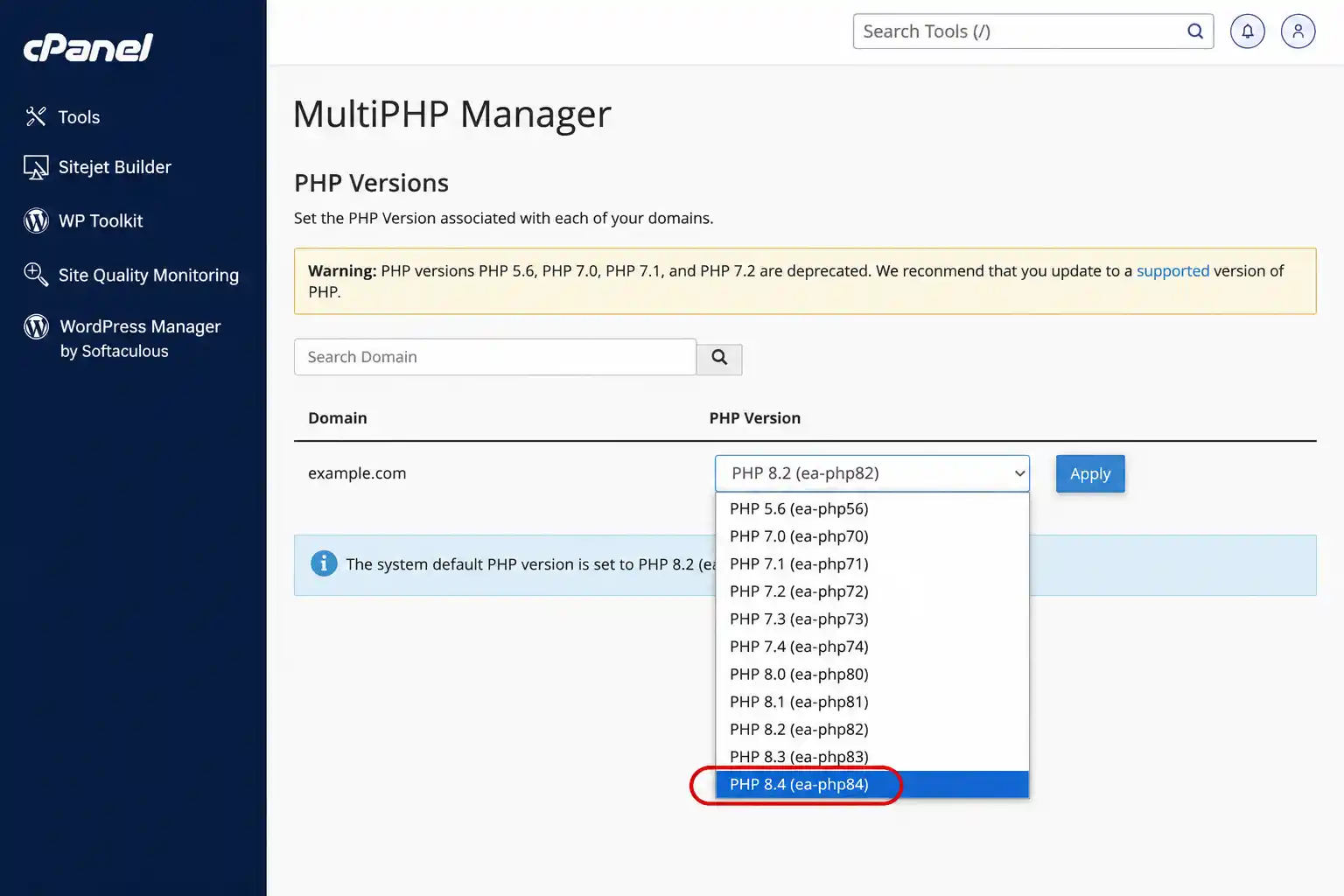
PHP 8.3.0 is the supported minimum, and PHP 8.4 is the recommended version. New Joomla 6 sites should normally start on PHP 8.4. Your hosting provider should let you switch PHP versions from the control panel — avoid any plan that locks your site to a single, fixed PHP version.
Use PHP 8.4 when:
Consider PHP 8.3 when:
Warning
Joomla core compatibility with a PHP version does not guarantee that every third-party template, component, module, or plugin supports the same version.
| PHP Setting | Practical Starting Point | Notes |
|---|---|---|
memory_limit | 256M or higher | Joomla recommends at least 256 MB |
upload_max_filesize | 32M–64M | Increase for large extensions or media uploads |
post_max_size | Equal to or higher than the upload limit | Must accommodate the full request |
max_execution_time | 120–300 seconds | Helpful for updates, backups, and imports |
max_input_vars | 3000 or higher | Useful for complex menus, forms, and configuration pages |
Official requirement vs. practical advice
The 256 MB PHP memory recommendation comes from Joomla's official documentation. The remaining values in the table above are practical starting points from JLV and may need adjustment for individual websites.
jsonsimplexmldomzlibgdOne compatible database driver is also required: mysqlnd, pdo_mysql, or pdo_pgsql.
mbstringcurlopensslfileinfozipintlxmlThese extensions may not all be mandatory for Joomla core, but they're commonly required by backup tools, payment integrations, multilingual features, and image-processing extensions.
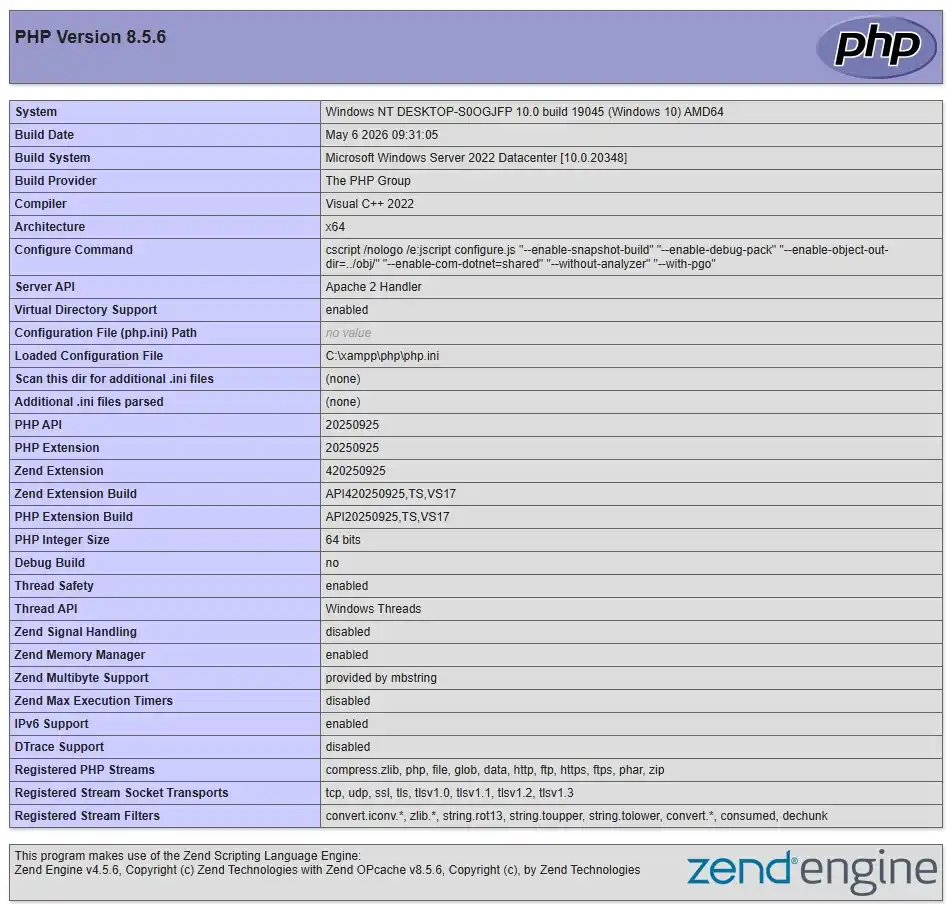
You can check enabled modules through Joomla's System Information page, cPanel's PHP Selector, Plesk PHP Settings, DirectAdmin's PHP Version Selector, a temporary phpinfo() file, or over SSH:
php -mSecurity warning
Delete any publicly accessible phpinfo() file immediately after checking your server configuration.
MySQL remains a common option on shared hosting platforms.
Check the complete version number rather than assuming every MariaDB 10.x release is fully supported.
PostgreSQL is less commonly available on standard shared hosting plans.
Both are suitable when they meet Joomla's requirements. Choose the database platform your hosting provider manages and maintains reliably — regular backups and stable server configuration matter more than the database brand itself. Test third-party extensions before changing database platforms, and avoid migrating between MySQL and MariaDB directly on a production website without testing first.
Apache 2.4 is both supported and recommended. It supports .htaccess configuration, and mod_rewrite is commonly used for search-engine-friendly URLs. Apache is widely available on shared hosting.
Recommended: Nginx 1.29. Supported: Nginx 1.26. Nginx does not use .htaccess — Joomla's rewrite rules must be configured directly in the Nginx server block.
IIS 10 is supported. The URL Rewrite Module may be needed for SEO-friendly URLs. IIS is less common among standard Joomla hosting providers.
Joomla doesn't require one specific web server — Apache and Nginx are both officially listed as supported options, and LiteSpeed commonly supports Apache-compatible .htaccess rules. Actual performance depends more on server configuration, caching, CPU limits, traffic, and database performance than on the web server brand alone. Avoid declaring one server "the fastest" without controlled benchmark data.
Related guide: LiteSpeed vs Nginx vs Apache for Joomla.
Joomla doesn't publish a universal CPU or server RAM requirement, because actual resource usage depends on traffic, extensions, templates, caching, database size, and scheduled tasks.
It helps to separate several things that get lumped together: the PHP memory limit, the hosting account's memory allocation, total physical server RAM, CPU cores, CPU usage limits, entry processes, and I/O limits. A 256 MB PHP memory limit does not mean the entire hosting account only needs 256 MB of server RAM.
These are JLV planning guidelines, not official Joomla requirements.
| Website Type | Suggested Starting Environment |
|---|---|
| Small brochure or blog website | Quality shared hosting with clearly disclosed resource limits |
| Business or multilingual website | Higher-tier shared hosting or cloud hosting with isolated resources |
| Membership or community website | Cloud hosting or VPS with measurable CPU and RAM |
| High-traffic or ecommerce website | Scalable cloud hosting or VPS with monitoring, caching, and reliable backups |
These are practical planning guidelines, not official Joomla requirements. Confirm exact resource needs through monitoring and load testing on your own site.
Hosting storage needs to cover more than just the Joomla core package: templates and extensions, uploaded images and videos, cache files, temporary files, database growth, local backups, staging copies, and email storage if it's hosted under the same account.
Both SSD and NVMe storage can run Joomla effectively; NVMe may offer better raw storage performance. Storage technology doesn't compensate for weak CPU allocation, low I/O limits, or poor database configuration — check inode and I/O limits as well, not just gigabytes.
A staging environment matters for Joomla core updates, PHP version changes, template updates, extension testing, Joomla 5.4 → 6 upgrades, and major configuration changes.
A CDN can improve delivery performance, but it doesn't replace a properly configured hosting server.
Open your hosting control panel, find the active PHP version, and confirm that PHP 8.3 or PHP 8.4 is available. Avoid changing the production PHP version before testing compatibility.
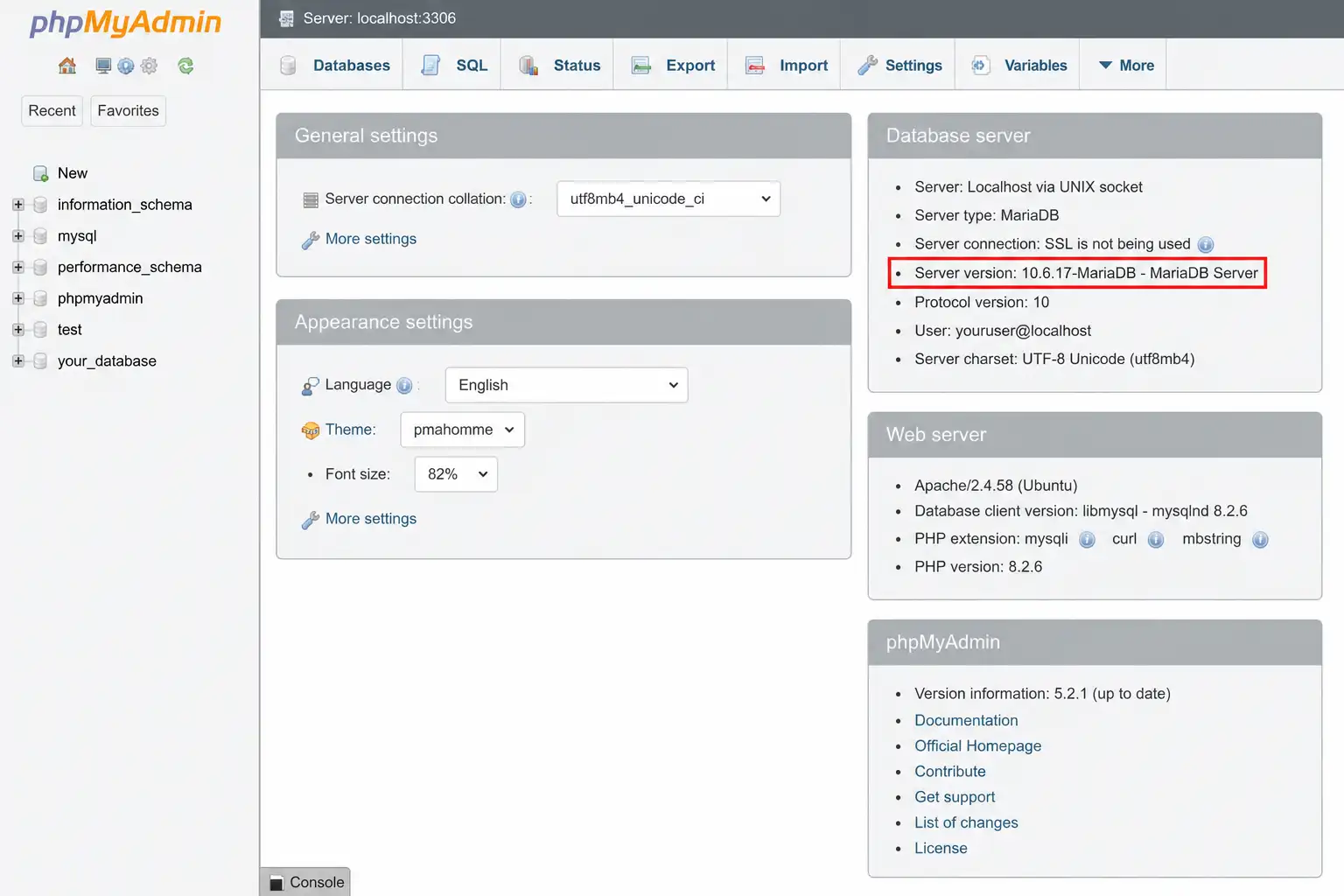
You can check this through phpMyAdmin, your hosting dashboard, Joomla's System Information page, or a direct query:
SELECT VERSION();Compare your server's enabled extensions against Joomla's mandatory extension list above.
Look for the memory_limit setting, and note the difference between the local value, the master value, and the value actually applied to your Joomla website.
Before upgrading, check core compatibility along with template, component, module, and plugin compatibility, PHP version compatibility, database version compatibility, PHP CLI compatibility, and scheduled-task compatibility.
Related guide: How to Upgrade Joomla 5.4 to Joomla 6 Safely.
Possible causes: an outdated PHP version on the server, the website and PHP CLI using different PHP versions, the control panel showing a different version than the one actually used by the domain, or the PHP version being changed for the account but not for the website itself.
Symptoms include the Joomla installer being unable to continue, an extension failing to install, image processing failing, XML-related functionality failing, or backup/migration tools showing errors.
Allowed memory size exhaustedPossible fixes: increase the PHP memory limit, identify which extension is using excessive memory, check background tasks, review error logs — and avoid raising the limit indefinitely without finding the underlying cause.
Ask your host to upgrade the database server, request migration to a newer hosting node, or move to another provider — testing the migration on staging first in every case.
Common causes: Apache rewrite rules not enabled, htaccess.txt never renamed to .htaccess, the Nginx server block missing Joomla's rewrite rules, the IIS URL Rewrite Module missing, or Joomla's URL rewriting being enabled before the server is correctly configured.
Common causes: max_execution_time set too low, CPU throttling, restrictive I/O limits, insufficient free disk space, file permissions blocking Joomla from writing updated files, or a security rule blocking the update request.
| Area | Bare Minimum | Better Production Choice |
|---|---|---|
| PHP | PHP 8.3 | PHP 8.4 |
| PHP memory | Enough to complete installation | At least 256 MB |
| Database | Official minimum version | Recommended or supported version |
| Backups | Manual backups only | Automatic backups plus an external copy |
| Testing | Changes made on production | Staging before important changes |
| Resources | Undisclosed shared limits | Clearly disclosed CPU, memory, and I/O |
| Logs | Limited or unavailable | Easy access to PHP and server error logs |
| Support | Generic hosting support | Support familiar with PHP and CMS issues |
Passing the Joomla installer is only the first requirement. A production hosting environment also needs reliable backups, sufficient resources, staging, logs, security controls, and flexible PHP management.
JLV recommendation
For a new Joomla 6 website, JLV recommends starting with: PHP 8.4; MySQL, MariaDB, or PostgreSQL within Joomla's recommended or supported range; at least 256 MB of PHP memory; OPcache enabled; HTTPS with automatic SSL renewal; daily backups; an off-server backup option; a staging environment; adjustable PHP settings; access to PHP and server error logs; cron job and PHP CLI support; and a data center close to your website's main audience.
This is JLV's practical production recommendation — it is not an additional Joomla core requirement.
Joomla 6 requires PHP 8.3.0 or newer. PHP 8.4 is recommended for a new site, provided your template and extensions support it.
No. PHP 8.2 is below Joomla 6's minimum. Upgrade to PHP 8.3 or 8.4 before installing or upgrading.
Joomla recommends at least 256 MB. Small sites may use less on normal requests, but updates, backups, imports, and heavier extensions may need more.
No. Joomla 6 requires MySQL 8.0.13 or newer. Upgrade your database environment before migrating.
Yes. Verify the complete version number, since recommended, supported, and minimum MariaDB versions differ.
Yes, when the provider offers compatible PHP and database versions, the required extensions, sufficient memory, reliable backups, and reasonable CPU/I/O limits.
No. Joomla supports Apache, Nginx, and Microsoft IIS — the rewrite configuration just depends on which one you use.
Check each developer's documentation and changelog, then test the full site on a staging environment before changing the PHP version on production.
PHP 8.3.0 is the minimum supported PHP version, and PHP 8.4 is recommended for new Joomla 6 websites. Joomla recommends at least 256 MB of PHP memory, and the database version needs to be checked carefully alongside the required PHP extensions. Hosting buyers should evaluate more than disk space and bandwidth — backups, staging, logs, PHP controls, and disclosed resource limits all matter. Existing websites should test every template and extension before upgrading production.
A hosting plan is ready for Joomla 6 when it meets the official software requirements and gives you the tools to run a reliable production website. Before purchasing, confirm the PHP version, database version, PHP extensions, memory limit, backup system, staging options, and server resource limits — if a provider doesn't publish these details, ask their support team for written confirmation before you order.
✅ Last verified with Joomla 6.1.x — August 2026

Stephen is the CEO and Founder of Jlvextension, known for creating high-quality Joomla templates and leading the development of innovative web solutions.