
Tutorial
How to Fix Duplicate Content with Canonical URLs in Joomla
Quick Answer
Duplicate content in Joomla almost always comes from the same page being reachable through more than one URL — index.php?option=com_content, a non-SEF fallback, http vs https, www vs non-www, trailing slashes, or query parameters like ?utm_source. Fix it by forcing one canonical domain in .htaccess, enabling SEF URLs with URL Rewriting, then adding a rel="canonical" tag — either through Joomla's built-in Canonical URL field on articles/categories, or a dedicated canonical extension for full site coverage.
🖼️
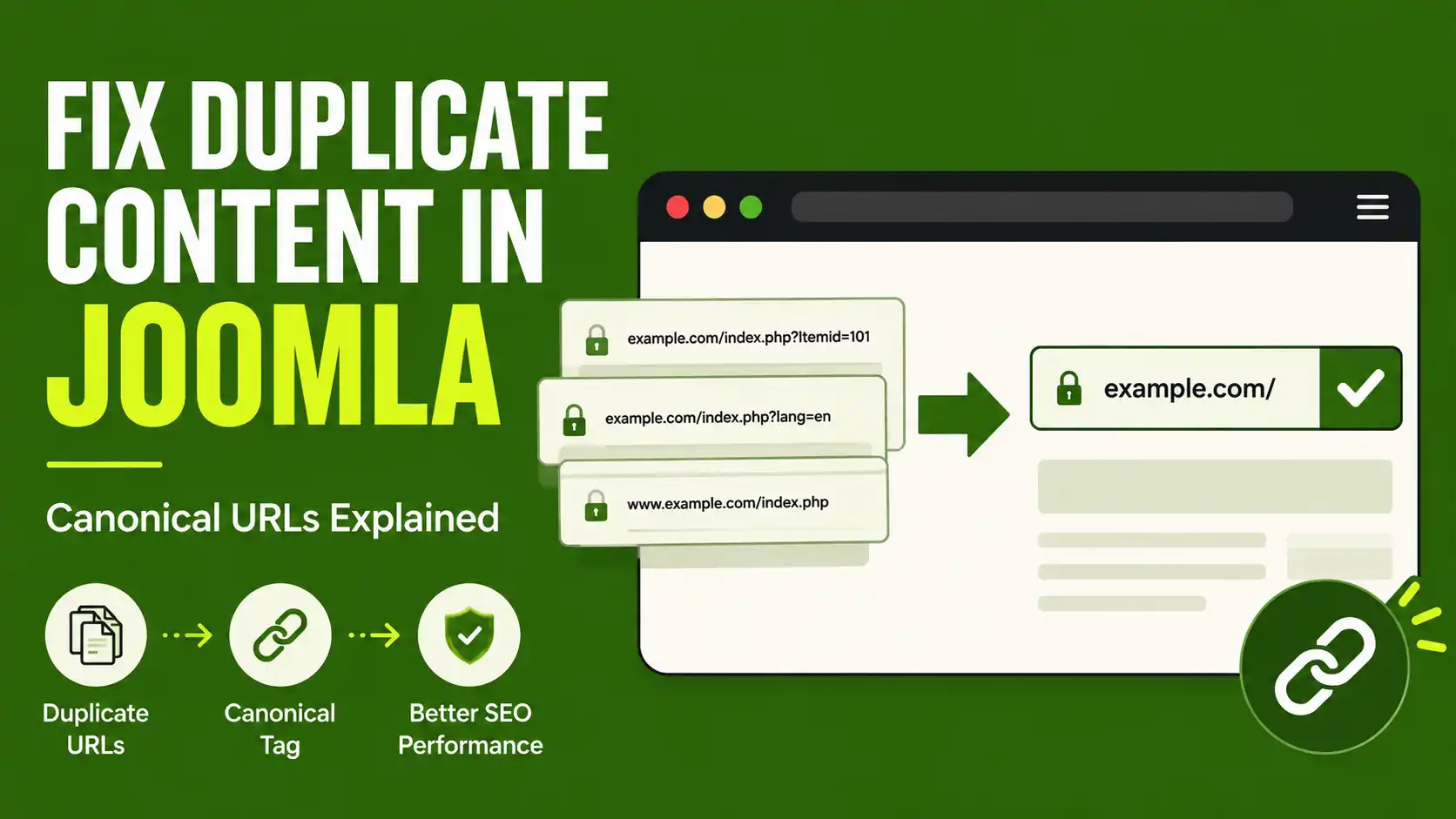
HERO IMAGE NEEDED
Wide illustrative shot showing a browser address bar with two nearly identical URLs (e.g. site.com/page and site.com/index.php?id=12) side by side, or a simple diagram of one canonical arrow pointing from duplicates to one preferred URL.
What You'll Need
| Requirement | Why you need it |
|---|---|
| Joomla admin access (Super User or Manager) | To change Global Configuration and article/category settings |
| FTP or File Manager access to the site root | To edit .htaccess for domain-level redirects |
Apache with mod_rewrite enabled (or equivalent on Nginx) | Required for SEF URLs and .htaccess rewrite rules to work |
| A Google Search Console property connected to the site | To confirm the fix actually reduced duplicate URLs after indexing |
| [NEED YOUR CONFIRMATION: your Joomla version — 5.x or 6.x] | Menu labels for SEF/canonical settings differ slightly between major versions |
This guide covers Joomla 5.x and 6.x, the two actively supported release lines as of 2026. The steps below fix the most common causes of duplicate content on a standard Joomla site using core com_content articles and categories — not third-party components like VirtueMart or K2, which generate their own URL patterns and may need a dedicated extension.
Step 1: Find Out Where Your Duplicate URLs Are Coming From
Before touching any settings, identify which of these are actually happening on your site. Open a few articles and try these variations manually:
- SEF vs non-SEF:
yoursite.com/blog/my-articlevsyoursite.com/index.php?option=com_content&view=article&id=12 - www vs non-www:
www.yoursite.comvsyoursite.com - http vs https: both versions still loading instead of redirecting
- Trailing slash:
/my-articlevs/my-article/ - Multiple menu items pointing to the same article (each with a different Itemid, which changes the URL)
- Query parameters:
?utm_source=,?fbclid=,?gclid=, print/PDF view links
Google Search Console's Coverage report (look for "Duplicate without user-selected canonical" and "Duplicate, Google chose different canonical than user") will confirm which of these Google has actually indexed as separate pages on your site.
Why this matters for AI search, not just Google ranking
Answer engines like AI Overviews and Perplexity pull from whichever URL they treat as the source page. If your content is split across three duplicate URLs with no clear canonical, citation signal gets diluted across all three instead of consolidating behind one authoritative page.
Step 2: Force One Domain Version With .htaccess
Pick one version of your domain — https, and either www or non-www — and redirect everything else to it. Open .htaccess in your Joomla root folder and add this near the top, right after RewriteEngine On:
RewriteEngine On

# Force HTTPS
RewriteCond %{HTTPS} off
RewriteRule ^(.*)$ https://%{HTTP_HOST}%{REQUEST_URI} [L,R=301]

# Force non-www (remove this block and use the www version below if you prefer www)
RewriteCond %{HTTP_HOST} ^www\.(.+)$ [NC]
RewriteRule ^(.*)$ https://%1/$1 [L,R=301]
Back up .htaccess first
A malformed rewrite rule can take your entire site offline. Download a copy of your current .htaccess before editing, and test the redirect on a staging URL if you have one.
🖼️
SCREENSHOT NEEDED — .HTACCESS EDIT
File manager or FTP client (e.g. FileZilla, cPanel File Manager) showing .htaccess opened in a text editor with the https/www redirect block visible, ideally with the added lines highlighted or boxed in red.
Step 3: Enable SEF URLs and URL Rewriting in Global Configuration
In the Joomla admin panel, go to System → Global Configuration → Site tab. Under the SEO Settings section:
- Set Search Engine Friendly URLs to Yes
- Set URL Rewriting to Yes (this requires a working
.htaccess— Joomla ships a template you rename fromhtaccess.txtto.htaccessif you haven't already) - Set Add Suffix to URLs based on your preference — just keep it consistent, since changing it later creates a fresh batch of duplicate URLs at the new suffix
Enabling URL Rewriting is what actually removes index.php from the front of every URL. Without it, SEF URLs still exist but the ugly index.php?option=com_content... version keeps working in parallel — and search engines can still find and index it through internal links, old backlinks, or your sitemap.
🖼️
SCREENSHOT NEEDED — GLOBAL CONFIGURATION
Joomla admin, System → Global Configuration → Site tab, SEO Settings section, with "Search Engine Friendly URLs", "URL Rewriting", and "Add Suffix to URLs" all visible and circled in red.
Step 4: Check the System - SEF Plugin's Canonical Behavior
Joomla includes a core plugin called System - Search Engine Friendly (Extensions → Plugins → search "SEF") that automatically inserts a rel="canonical" tag on most core pages. It's enabled by default and generally handles the basics — index.php vs SEF alias — correctly.
It's worth knowing this plugin's limits rather than assuming it solves everything: it does not reliably strip tracking parameters like ?utm_source or ?fbclid from the self-referencing canonical, and pages reached through different menu items (different Itemid) can still generate distinct canonical URLs instead of collapsing to one. This is a documented, long-standing limitation in Joomla core, not a misconfiguration on your part — so if your traffic includes a lot of UTM-tagged links or ads, don't expect the core plugin alone to fully solve it.
🖼️
SCREENSHOT NEEDED — SEF PLUGIN SETTINGS
Joomla admin, Extensions → Plugins, "System - Search Engine Friendly" plugin open, showing its settings tab and Enabled toggle circled in red.
Step 5: Set a Manual Canonical URL on Specific Articles or Categories
For pages the core plugin doesn't handle well — syndicated content, an article that's also linked from two menu items, or a category that duplicates a tag archive — Joomla lets you set a canonical URL by hand:
- Go to Content → Articles and open the article
- Click the Publishing tab
- Enter the full preferred URL in the Canonical URL field
- Click Save & Close
The same field exists under the Publishing tab for Categories (Content → Categories), and under the Metadata tab for Menu Items. Always enter the full, absolute URL — not a relative path — and double-check it isn't pointing at a 404 or a page with different content, since an incorrect canonical can suppress the wrong page from search results entirely.
🖼️
SCREENSHOT NEEDED — CANONICAL URL FIELD
Joomla article editor, Publishing tab, with the "Canonical URL" field visible and a sample URL typed in, circled in red to show exactly where it is.
Step 6: Stop Creating Duplicate Menu Items for the Same Article
A very common self-inflicted cause: linking the same article from two different menus (for example, a main menu and a footer menu) using two separate "Single Article" menu items. Each menu item gets its own Itemid, and Joomla can generate a distinct URL per Itemid for the same content.
Instead, create the menu item once, and for every additional place you need to link to it, use a Menu Item Alias (Menu → Add New Menu Item → Menu Item Type → System Links → Menu Item Alias) pointing back to the original. This reuses the same canonical Itemid instead of minting a new one.
Step 7: Verify the Fix in Google Search Console
After steps 1–6 are live, give Google 1–2 weeks to recrawl, then check Search Console → Pages → Why pages aren't indexed. Look specifically for:
- Duplicate without user-selected canonical — should trend toward zero
- Duplicate, Google chose different canonical than user — means Google disagrees with your canonical tag; usually a sign the "wrong" URL has more internal links or backlinks pointing at it, which you should redirect instead
You can also spot-check any individual URL with the URL Inspection tool, which shows the exact canonical URL Google has selected for that page versus the one your site declared.
📊
SCREENSHOT NEEDED — SEARCH CONSOLE COVERAGE
Google Search Console Pages report, "Why pages aren't indexed" table, with the "Duplicate without user-selected canonical" and "Duplicate, Google chose different canonical than user" rows visible.
🧯 Common Mistakes to Avoid
- Setting a canonical URL that doesn't match the actual live page. If the canonical points to a URL that 404s or has been moved, you risk the real page dropping out of the index entirely.
- Changing "Add Suffix to URLs" after the site is already indexed. This instantly creates a new set of duplicate URLs at the new suffix pattern until every old URL is redirected.
- Redirecting in .htaccess AND setting a conflicting manual canonical. Pick one mechanism per duplication type — a 301 redirect is for URLs that should never be accessible again; a canonical tag is for URLs that stay accessible but shouldn't be indexed separately.
- Assuming the core SEF plugin strips tracking parameters. It generally does not — sites running paid ads or email campaigns with UTM tags need a dedicated canonical extension or manual query-string handling.
- Forgetting third-party components. If your site runs VirtueMart, K2, or another component with its own routing, the core canonical field on com_content articles won't touch those URLs — check whether the component has its own canonical setting.
❓ Frequently Asked Questions
Does Joomla add canonical tags automatically?
Yes, partially. The core "System - Search Engine Friendly" plugin auto-generates a self-referencing canonical tag on most com_content pages, but it doesn't reliably strip tracking parameters or collapse duplicate Itemids, so it's not a complete solution on its own.
What's the difference between a 301 redirect and a canonical tag?
A 301 redirect sends both users and search engines to a new URL and the old one stops working. A canonical tag keeps the old URL accessible but tells search engines which version to index — use it when duplicate URLs need to stay live for functional reasons.
Will fixing duplicate content in Joomla improve my Google ranking immediately?
Not immediately — Google needs to recrawl affected pages first, which typically takes 1–3 weeks depending on crawl frequency. The main benefit is consolidating link equity and indexing signal onto one URL instead of splitting it across duplicates.
Do I need a paid extension to fix Joomla canonical URLs?
Not for most standard sites — Joomla core's canonical field plus a clean .htaccess covers the common cases. A dedicated extension (Custom Canonical, Crusco Canonical URL, System - Link Canonical) is worth it if you have heavy UTM/ad traffic, third-party components, or need canonical rules applied in bulk instead of per-article.
Can a wrong canonical URL hurt my SEO more than having no canonical at all?
Yes. Pointing a canonical at the wrong page — a 404, an unrelated page, or a page with different content — can cause search engines to drop the real page from the index. Always double-check the exact URL before saving.
Does this affect how AI search tools like AI Overviews cite my content?
Indirectly, yes. When duplicate URLs split citation signal across multiple versions of the same content, no single URL builds enough authority to be the one an AI system references. Consolidating to one canonical URL concentrates that signal.
Last verified on Joomla 5.4 / 6.1 — August 2026

Thanh Le
Joomla Specialist & Technical Writer
Thanh Le is a Joomla expert and technical writer at Jlvextension.com, known for creating in-depth tutorials, extension reviews, and optimization guides. His work focuses on helping developers and webs

How to Override a Module Layout in Joomla 6 (Update-Safe Method)
Beginner
⏱ 5 min

Joomla Security Checklist: 12 Steps to Harden Your Site in 2026
Beginner
⏱ 11 min