Tutorial
Joomla Security Checklist: 12 Steps to Harden Your Site in 2026

Quick Answer
The fastest way to secure a Joomla site in 2026 is to run a currently supported Joomla branch (5.4.x or 6.1.x) on a matching PHP version, turn on Two-Factor Authentication for every Super User, keep every extension checked against the Joomla Vulnerable Extensions List, force HTTPS with proper security headers, and run tested offsite backups. No single plugin replaces these fundamentals — they work together as layers.
| What you'll need | Details |
|---|---|
| Access level | Super User access to the Joomla backend (/administrator) |
| Server access | FTP/SFTP or hosting control panel (cPanel, Plesk, etc.) |
| Joomla version | Any actively supported branch — Joomla 5.x or 6.x. Joomla 3 and Joomla 4 no longer receive core security fixes. |
| Time needed | Roughly 1–2 hours for a first full pass, then ongoing monitoring |
This checklist covers Joomla 5.x and 6.x self-hosted installs. It's written as independent, checkable items rather than a strict linear tutorial — you don't have to do them in order, but every item matters. Version numbers and CVE references below reflect what was current as of this article's last verification date; always check the Joomla Security Centre for anything newer before you publish.
The 12-Point Joomla Security Checklist at a Glance
| # | Checklist item |
|---|---|
| 1 | Keep Joomla core on a supported, patched branch |
| 2 | Match PHP, database and web server to supported versions |
| 3 | Turn on Two-Factor Authentication for every Super User |
| 4 | Enforce strong, unique admin credentials and minimize Super Users |
| 5 | Audit every extension against the Vulnerable Extensions List |
| 6 | Lock down the /administrator directory |
| 7 | Harden file and folder permissions |
| 8 | Force HTTPS and configure security headers |
| 9 | Add a Web Application Firewall layer |
| 10 | Automate offsite backups and test restores |
| 11 | Turn on logging and file-integrity monitoring |
| 12 | Keep Global Check-in current and have a recovery plan ready |
1. Keep Joomla Core on a Supported, Patched Branch
Joomla 3 and Joomla 4 no longer receive core security fixes from the project, so any new vulnerability found in those branches has no official patch path. Joomla 5 is in regular bugfix support until October 13, 2026, and moves to security-fix-only support until October 12, 2027. Joomla 6 is the current actively developed branch.
This isn't theoretical. In May 2026, Joomla 5.4.6 and 6.1.1 shipped together to close ten security advisories (CVE-2026-48896 through CVE-2026-48905), including two Multi-Factor Authentication bypass issues and a high-severity privilege escalation in the com_users batch tasks. A further security release followed with 5.4.8 and a 6.1.3 release candidate. If you're running an older point release, the practical risk isn't hypothetical — real bypasses were fixed.
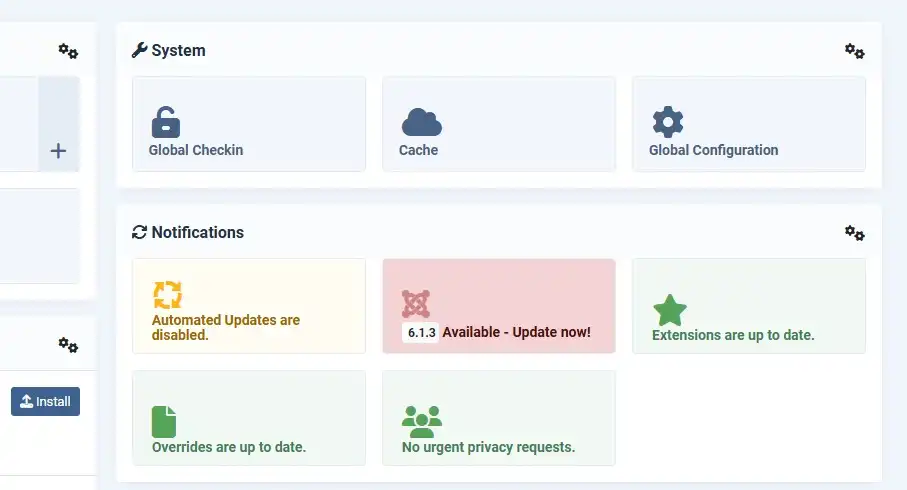
Go to System → Update → Joomla and set the update channel to the current branch you're on ("Current" or the equivalent "Latest Compatible" option). Don't wait for a maintenance window on a flagged security release — those get pushed out specifically because active exploitation risk is higher than usual.
2. Match PHP, Database and Web Server to Supported Versions
Running Joomla on an end-of-life PHP or database version means you lose security patches at the language/runtime level too, on top of anything Joomla itself does.
| Joomla branch | PHP minimum | PHP recommended | MySQL minimum | MariaDB minimum |
|---|---|---|---|---|
| Joomla 6.x | 8.3.0 | 8.4 | 8.0.13 | 10.4 |
| Joomla 5.x | 8.1.0 | 8.3 | 8.0.13 | 10.4.0 |
Check your current versions under System → Information → System Information, and confirm with your host that PHP is set to a version that still receives security updates upstream — not just one that happens to meet Joomla's minimum.
3. Turn On Two-Factor Authentication for Every Super User
Two-Factor Authentication (2FA/MFA) has been built into Joomla core since version 3.2 — no extra extension is required to enable it.
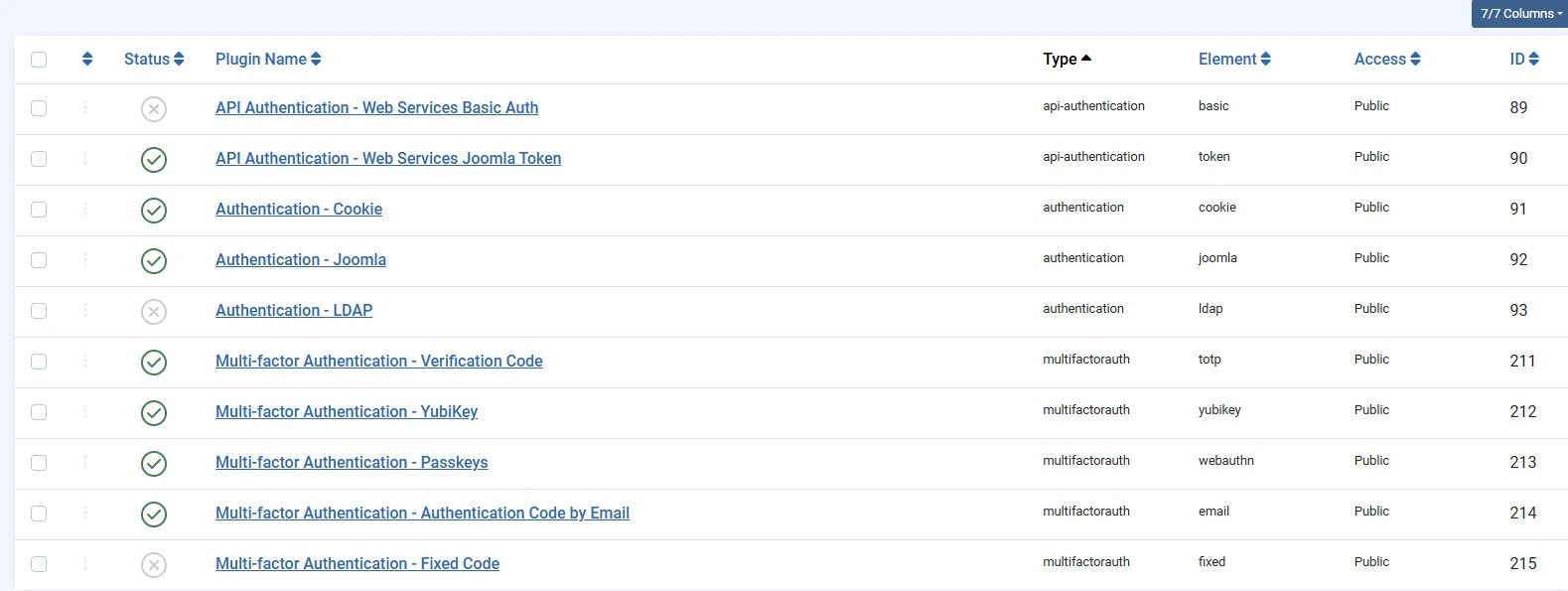
- Go to System → Manage → Plugins, search for "Two Factor Authentication," and enable the method you want (Google Authenticator / TOTP or a WebAuthn-based method are the common choices). Choose whether it applies to the backend only or both frontend and backend — backend is the minimum you want protected.
- Go to Users → Manage, open each Super User's profile, and complete setup under the Two Factor Authentication tab by scanning the QR code with an authenticator app.
- Save the backup codes generated at setup somewhere outside the Joomla site itself — a password manager, not a text file in the webroot.
4. Enforce Strong, Unique Admin Credentials and Minimize Super Users
Why this still matters even with 2FA
2FA stops most credential-stuffing attacks, but a reused or weak password is still the first thing an attacker tries — and some MFA bypass vulnerabilities specifically target weak session or recovery flows, not the password itself.
- Use a unique, long passphrase per admin account, generated and stored in a password manager — not reused from another site.
- Avoid the literal username "admin"; use something unique to your site instead.
- Review Users → Manage periodically and remove Super User privileges from anyone who no longer needs them — former staff, old freelancers, unused service accounts.
- Never share one login between multiple people; give each person their own account so actions are traceable in the logs.
5. Audit Every Extension Against the Vulnerable Extensions List
Joomla core being patched doesn't protect you from a vulnerable component, plugin or template — most real-world Joomla compromises start at the extension layer, not the core. In June 2026, Singapore's Cyber Security Agency issued an advisory about active exploitation of two critical vulnerabilities in popular page-builder extensions (CVE-2026-48908 and CVE-2026-56290 in SP Page Builder and Page Builder CK), both of which had security updates already available.
- Before installing anything, check the Joomla Vulnerable Extensions List (VEL) on the official Joomla documentation site.
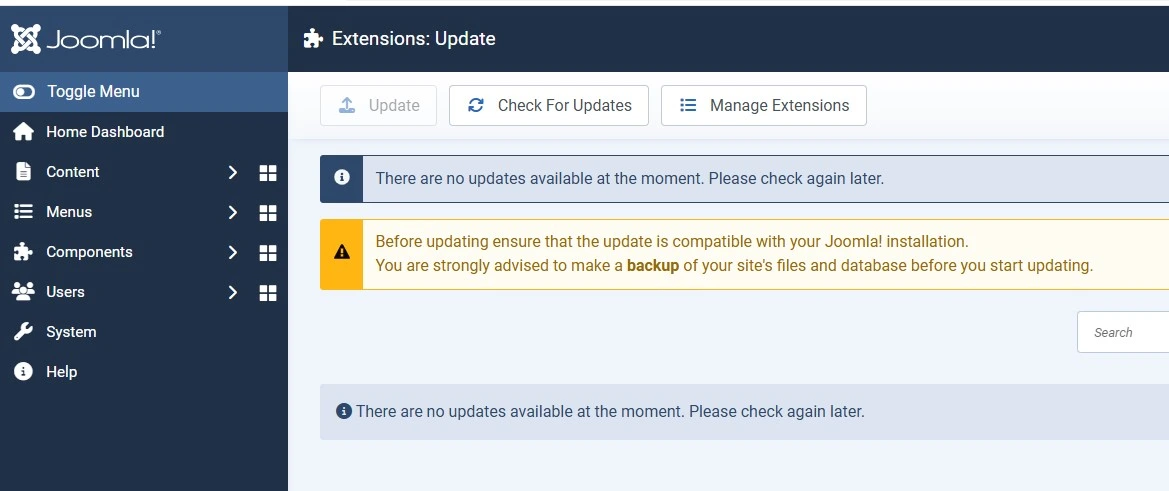
- Update every installed extension and template whenever the developer ships a security release — treat this with the same urgency as core updates.
- Uninstall, don't just disable, extensions you're no longer using. A disabled extension's files are still on the server and can still be a target.
- Favor extensions that are actively maintained and have a track record of fast security responses over ones that look feature-rich but haven't been updated in a long time.
6. Lock Down the /administrator Directory
Adding a layer in front of the login screen itself reduces automated brute-force and bot noise significantly, even though it isn't a substitute for 2FA and a WAF.
- Password-protect
/administratorat the web-server level (via.htaccess/htpasswd, or a plugin like Admin Tools' secret URL parameter or AdminExile). - If your team logs in from a small number of static IPs, add IP allowlisting for the admin path.
- Treat this as one layer among several — obscuring the login path alone will not stop a targeted attacker who already has valid credentials or exploits a core/extension vulnerability directly.
7. Harden File and Folder Permissions
Loose file permissions let a single compromised script write to files it shouldn't be able to touch. The commonly documented baseline for Joomla is directories at 755 and files at 644, with configuration.php locked down further where your hosting setup allows it. Also disable directory listing (Options -Indexes in Apache) so folder contents aren't browsable directly.
Extensions such as Admin Tools include a one-click permissions fixer that scans and corrects insecure permissions across the install — useful if you're not comfortable doing this over FTP/SSH manually.
8. Force HTTPS and Configure Security Headers
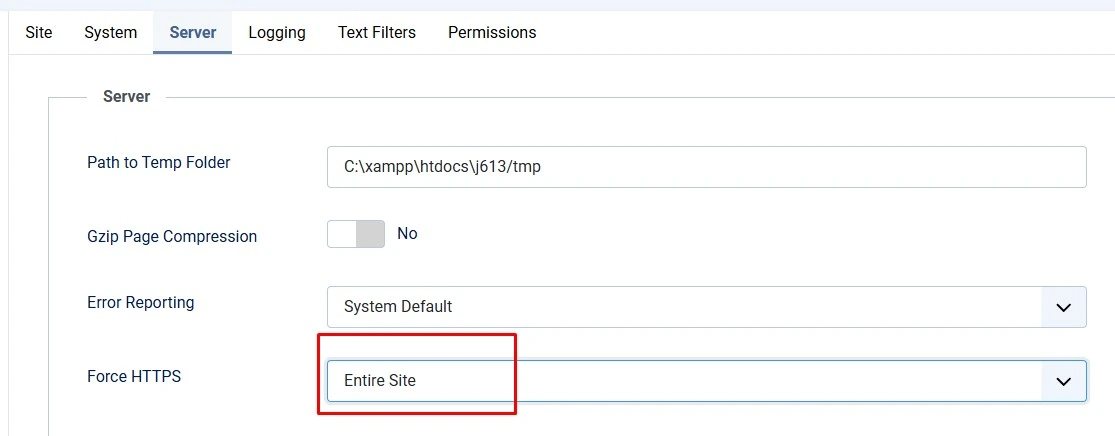
Go to System → Global Configuration → Server tab and set Force HTTPS to Entire Site.
On top of HTTPS itself, add these headers at the web-server level (.htaccess for Apache, or your Nginx server block):
Strict-Transport-Security(HSTS) — tells browsers to always use HTTPS for your domainX-Content-Type-Options: nosniff— stops MIME-type sniffing attacksX-Frame-Optionsor aframe-ancestorsContent-Security-Policy directive — prevents clickjackingContent-Security-Policy— tuned to the scripts/styles your specific template and extensions actually load; test carefully before enforcing, since an overly strict policy can break third-party widgetsReferrer-Policy— limits how much referrer data leaks to third-party sites
9. Add a Web Application Firewall Layer
A WAF filters malicious requests (SQL injection attempts, known exploit patterns, file-upload abuse) before they reach Joomla's application code. Two well-known options in the Joomla ecosystem:
- Admin Tools Professional (Akeeba) — combines a WAF, an
.htaccess/Nginx-conf/web.config hardening generator, a PHP file change scanner, and permission fixing in one component. A free Core version covers permission fixing and basic hardening without the full WAF. - RSFirewall! — filters SQL/XSS/LFI patterns, checks uploaded files against banned extensions and malware patterns, checks core file integrity, and can auto-block attacking IPs.
Both are available as standalone purchases, and some Joomla extension bundles include a WAF component alongside other tools under one license if you'd rather manage everything from a single subscription. A CDN-level WAF (e.g., Cloudflare) adds network-layer filtering in front of your server as well, which is a useful additional layer rather than a replacement for an application-level WAF.
10. Automate Offsite Backups and Test Restores
- Use a backup tool (Akeeba Backup is the most widely used option in the Joomla ecosystem, and has a free Core edition) to create full-site archives on a schedule, not just when you remember to.
- Store backups off the same server as your live site — cloud storage, a separate remote host, or a dedicated backup service. A backup that lives next to the site it protects is compromised the moment the server is.
- Periodically restore a backup to a staging environment to confirm it actually works. An untested backup is a hope, not a plan.
11. Turn On Logging and File-Integrity Monitoring
- Enable Joomla's built-in Action Logs plugin (System → Manage → Plugins, search "Action Log") to record backend logins, content changes and configuration edits under System → User Actions Log.
- Optionally enable the Action Log Notification plugin to get an email alert for specific sensitive actions (like new Super User creation).
- Pair this with a file-integrity/change scanner (available in Admin Tools Professional and RSFirewall) so unauthorized file modifications — the classic sign of a webshell being dropped — get flagged instead of sitting unnoticed.
12. Keep Global Check-in Current and Have a Recovery Plan Ready
- Use System → Maintenance → Global Check-in to release items that got stuck "checked out," which can otherwise mask unusual editing activity.
- Write down — before you need it — who has access to hosting/DNS, where the latest tested backup lives, and the exact steps to rotate every credential (Joomla users, database, FTP, hosting panel) if the site is compromised.
- Know in advance whether your host offers malware cleanup support, and keep their contact details handy alongside your incident checklist.
❓ FAQ
Is Joomla secure in 2026?
A currently supported Joomla installation (5.x or 6.x), kept patched, with 2FA and a WAF layer, is as secure as any actively maintained CMS. Most real-world breaches trace back to an outdated core, a vulnerable extension, or weak admin credentials — not a flaw unique to Joomla itself.
How often should I update my Joomla site?
Apply security releases as soon as they're available — Joomla flags them clearly in the update notes. For non-security updates, a monthly check is a reasonable minimum, but don't delay anything marked as a security fix.
Do I still need to rename the "admin" username?
It's a minor, low-cost extra step, but it's not a real security control on its own — treat it as one small layer, not a substitute for 2FA, strong passwords, and keeping software updated.
What is the Joomla Vulnerable Extensions List (VEL)?
It's an official list maintained by the Joomla project documenting extensions with known, unpatched security vulnerabilities. Checking it before installing — and periodically afterward — helps you avoid running known-bad code.
Do I need a paid security extension if I already keep everything updated?
Updates close known vulnerabilities, but a WAF and file-integrity scanner catch attack attempts and unauthorized changes in real time, including against issues that aren't public yet. They're complementary, not redundant.
What should I do if my Joomla site is already hacked?
Take the site offline or into maintenance mode, rotate every credential (Joomla, database, FTP, hosting panel), restore from a backup taken before the compromise, then update everything before bringing it back online. If you don't have a clean backup, get help from your host or a Joomla malware-cleanup specialist rather than patching around an unknown infection.
🧯 Common Mistakes to Avoid
- Treating a renamed admin username as sufficient security instead of layering it with 2FA and a WAF.
- Disabling an unused extension instead of uninstalling it — the files, and the attack surface, are still there.
- Keeping the only backup copy on the same server as the live site.
- Delaying a flagged security release because "the site looks fine" — several 2026 advisories patched issues that were already under active exploitation.
- Running Joomla 3 or Joomla 4 in production with no migration plan, since neither branch receives core security fixes anymore.
✅ Last verified on Joomla 6.1.3 / 5.4.8 — September 2026

Thanh Le
Joomla Specialist & Technical Writer
Thanh Le is a Joomla expert and technical writer at Jlvextension.com, known for creating in-depth tutorials, extension reviews, and optimization guides. His work focuses on helping developers and webs