Tutorial
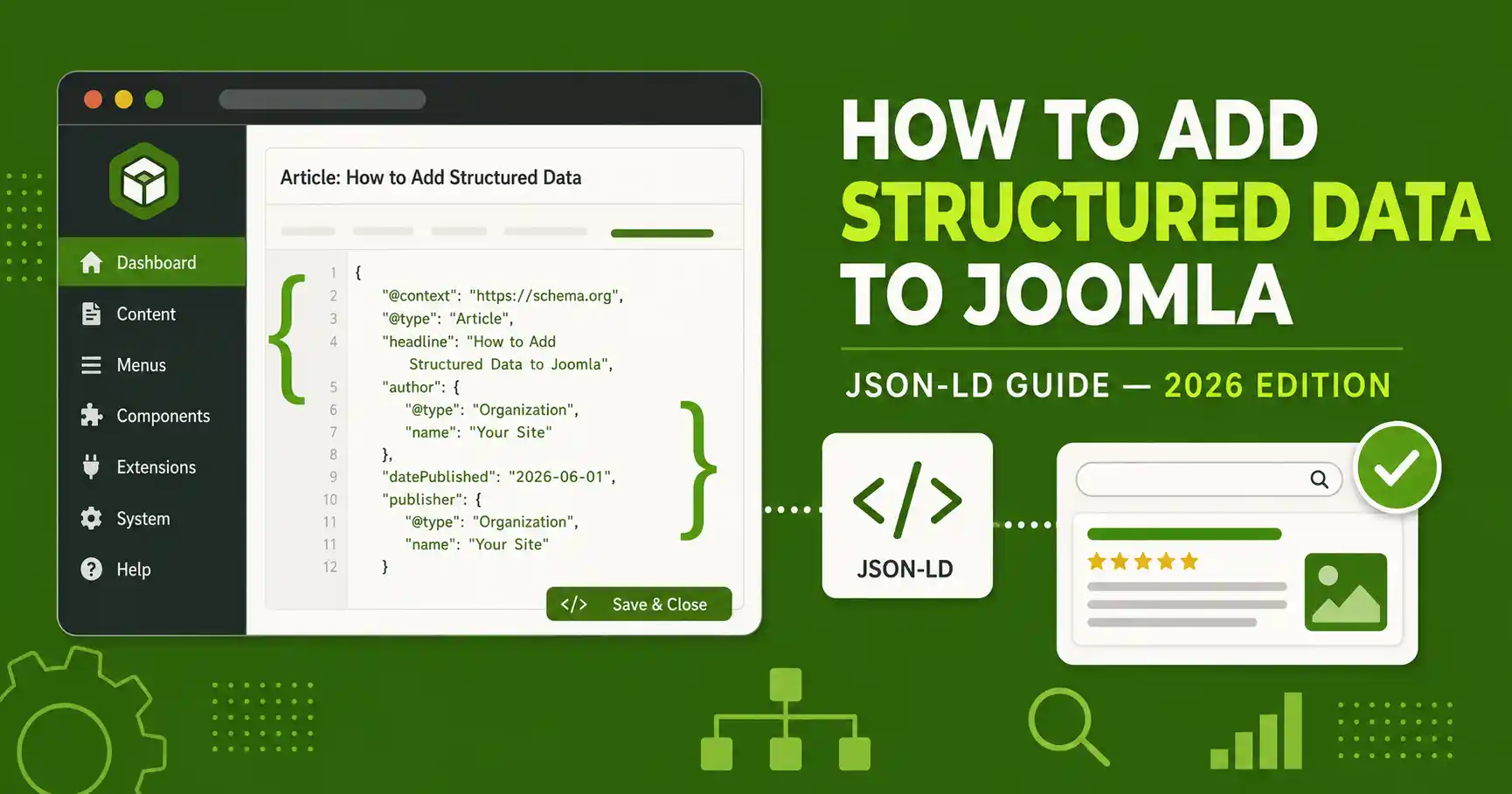
How to Add Structured Data to Joomla (JSON-LD Guide, 2026)
Affiliate disclosure: Some links in this guide may be affiliate links (e.g. Envato/MonsterONE). If you buy through them, we may earn a commission at no extra cost to you. This does not affect which method we recommend.
⚡ Quick Answer
The fastest way to add structured data to Joomla is with JSON-LD: use a free plugin like TF Structured Data for automatic per-article Article schema, and paste a single <script type="application/ld+json"> block into your template's <head> for site-wide Organization/WebSite schema. Always validate with Google's Rich Results Test before publishing — and don't expect FAQ or HowTo markup to produce visible rich snippets anymore: Google retired FAQ rich results on May 7, 2026, and HowTo rich results on desktop back in 2023.
| What you'll need | Details |
|---|---|
| Joomla version | Joomla 5.x or 6.x (this guide is verified on Joomla 6.1 / 5.4) |
| Access level | Super User / Administrator access to Extensions and Plugins |
| Template access | Only needed if you choose the manual head-injection method (Step 2, Option A) |
| Time required | ~20–25 minutes for the full setup |
Joomla has no native structured data generator — unlike some page builders, there's no built-in "Schema" tab in the article editor. Everything you add is either through a plugin or a manual JSON-LD snippet. This guide covers both routes: a no-code plugin path for automatic per-article schema, and a manual path for site-wide schema that a plugin won't generate for you (like Organization and WebSite). It applies to Joomla 5.4.x and 6.0/6.1.x.
Step 1: Decide which schema types your site actually needs
Before installing anything, map your content types to schema types. Adding schema that doesn't match what's visibly on the page is "schema padding" — Google has tightened enforcement against this, and it can do more harm than good.
| Page type | Schema to use |
|---|---|
| Every page (site-wide, added once) | Organization + WebSite |
| Blog posts / news articles | Article or NewsArticle |
| Tutorials with sequential steps | HowTo (markup only — no rich-snippet expectation) |
| Product/theme/extension reviews | Review + Product |
| Pages with real, visible Q&A | FAQPage (markup only — no rich-snippet expectation) |
| Every page (navigation trail) | BreadcrumbList |
Step 2: Add site-wide Organization and WebSite schema
This block should exist once per site and appear on every page. No plugin generates this for you automatically, so you add it manually in one of two ways.
Option A — Edit your template's head section (advanced, requires template access)
Open your active template's index.php and paste your JSON-LD script right before the closing </head> tag, near the existing <jdoc:include type="head" /> line:
<script type="application/ld+json">
{
  "@context": "https://schema.org",
  "@graph": [
    {
      "@type": "Organization",
      "@id": "https://www.example.com/#organization",
      "name": "JLV Blog",
      "url": "https://www.example.com/",
      "logo": "https://www.example.com/images/logo.png"
    },
    {
      "@type": "WebSite",
      "@id": "https://www.example.com/#website",
      "url": "https://www.example.com/",
      "name": "JLV Blog",
      "publisher": { "@id": "https://www.example.com/#organization" }
    }
  ]
}
</script>
⚠️ Use one @graph block, not multiple <script> tags
Joomla's core document handler has a known long-standing issue with merging multiple separately-added application/ld+json script declarations — they can get concatenated incorrectly and break JSON parsing. Combine everything into a single <script> tag using @graph, as shown above, instead of adding several separate JSON-LD blocks.
Option B — Use a free "custom code" plugin (no template editing)
If you don't want to touch template files, install a free extension that lets you inject raw HTML/JS into the <head> — for example a "System – Custom Code" or "Add Custom Javascript" style plugin from the Joomla Extensions Directory. Paste the same <script> block from Option A into the plugin's head-injection field, publish the plugin, and it will appear on every page without editing your template.
Step 3: Install a plugin to auto-generate per-article Article schema
For per-article Article/Review/FAQPage/Product schema, a dedicated content plugin is far less error-prone than hand-writing JSON-LD for every post. TF Structured Data (by Joomla Fry) is a free option that fits this: it's a content plugin that auto-injects JSON-LD, lets you assign a schema type per article category, and pulls metadata (title, author, date published, images) straight from the article automatically. As of this writing it's on version 1.4.6, compatible with Joomla 5 and 6.
- Go to System → Manage → Install and search the Joomla Extension Directory for "TF Structured Data," or download it directly and install via Upload Package File.
- Go to System → Manage → Plugins, find Content – TF Structured Data, and enable it.
- Open the plugin's parameters and assign a schema type (Article, Product, FAQ, Event, etc.) to each article category that needs it.
- Save, then open a published article on the front end and view page source to confirm the
<script type="application/ld+json">block appears.
🖼️
[SCREENSHOT NEEDED]
TF Structured Data plugin parameters screen in Joomla admin, showing the category-to-schema-type mapping dropdown — circle the dropdown field so readers don't miss which category they're editing.
Step 4: Add custom JSON-LD to individual pages without editing the template
Some pages need schema a category-based plugin can't generate on its own — a specific Review with a real rating, or FAQPage markup for a Q&A section you wrote by hand. For these one-off cases, use a free code-injection plugin like Sourcerer (by Regular Labs), which lets you wrap raw HTML/JSON-LD inside {source}...{/source} tags directly inside the article editor, bypassing Joomla's HTML filter that would otherwise strip a raw <script> tag.
- Install and enable the Sourcerer plugin.
- In the article you want to add schema to, switch to the editor's Code/Source view.
- Wrap your JSON-LD block:
{source}<script type="application/ld+json">{...}</script>{/source}. - Save and preview — the script tag should render untouched on the front end.
🖼️
[SCREENSHOT NEEDED]
Joomla article editor in Code view showing a {source}...{/source} block wrapping a JSON-LD script tag, so readers can see exactly how the syntax should look inline.
Step 5: Validate every schema block before publishing
Never publish structured data untested. Run each page through two tools:
- Google Rich Results Test — catches errors Google specifically cares about and shows which rich-result eligibility (if any) applies today.
- Schema Markup Validator (schema.org's official validator) — checks strict spec compliance, catching issues the Rich Results Test doesn't flag since it only checks Google-supported types.
Paste your page URL or raw JSON-LD into both. Fix every error, and review warnings — a warning today can become an error after a future Google update.
🖼️
[SCREENSHOT NEEDED]
Google Rich Results Test result page showing a valid Article schema with a green checkmark, for a real published page on this site.
Step 6: Set realistic expectations and monitor in Search Console
Structured data is not a ranking factor, and in 2026 two of the most commonly used tutorial-content schema types no longer produce visible rich snippets at all:
- HowTo rich results were removed from desktop search back in August 2023.
- FAQ rich results stopped appearing in Google Search entirely on May 7, 2026, with Search Console reporting for it removed in June 2026 and API support removed in August 2026.
Google has said both markup types remain valid and safe to keep — they just won't earn extra SERP real estate anymore. The real value now is that AI answer engines (Google AI Overviews/AI Mode, ChatGPT, Perplexity, Gemini) still parse this markup to verify facts and attribute sources, even without a visible rich snippet. Keep the schema for that reason, not for a dropdown snippet that no longer exists.
❓ Frequently Asked Questions
Does Joomla have built-in structured data support?
No. Joomla core has no native schema generator or "Schema" tab in the article editor. You need either a plugin (like TF Structured Data) or a manually added JSON-LD snippet to add structured data to a Joomla site.
What's the easiest way to add JSON-LD to Joomla without coding?
Install a free content plugin like TF Structured Data for automatic per-article Article schema, and a code-injection plugin like Sourcerer for one-off custom blocks — neither requires editing template files or writing PHP.
Will adding FAQ schema get me a rich snippet in 2026?
No. Google retired FAQ rich results from Search on May 7, 2026, for effectively all sites. The FAQPage markup is still valid and safe to keep, but it no longer produces a visible dropdown in search results.
Is JSON-LD better than microdata for Joomla?
Yes, for most Joomla setups. JSON-LD lives entirely inside a script tag, separate from your HTML, so template or content changes don't risk breaking the markup the way inline microdata attributes can.
Can I use multiple schema types on one Joomla page?
Yes — combine them inside a single @graph block in one script tag (e.g. Article + BreadcrumbList + FAQPage on the same page), rather than adding several separate script tags, to avoid Joomla's known JSON-LD merging issue.
Do I need to update structured data after a Joomla core update?
Re-check it after major version upgrades (like 5.x → 6.x) or template changes, since a template update can overwrite a manually edited index.php. Plugin-based schema is unaffected by template updates.
🧯 Common Mistakes to Avoid
- Schema padding: adding FAQPage or Review schema to a page that doesn't visibly contain that content — this is exactly what Google's stricter enforcement targets.
- Multiple separate JSON-LD script tags instead of one
@graphblock — triggers Joomla's known script-merging bug. - Forgetting to update
dateModifiedin Article schema after editing a published post — it should reflect the actual last edit, not stay frozen at the publish date. - Faking a rating in Review/AggregateRating schema instead of using a real, disclosed rating.
- Assuming a template update won't touch your manual head edit — always re-check
index.phpafter updating or switching templates.
✅ Last verified on Joomla 6.1.2 / 5.4.7 — August 2026

Thanh Le
Joomla Specialist & Technical Writer
Thanh Le is a Joomla expert and technical writer at Jlvextension.com, known for creating in-depth tutorials, extension reviews, and optimization guides. His work focuses on helping developers and webs

