Review
Helix Ultimate Review (2026): Is the Free Joomla Template Framework Worth Using?

⚡ Quick Answer
Helix Ultimate is a free Joomla template framework from JoomShaper. Version 2.2.11 supports Joomla 4, 5 and 6, is built on Bootstrap 5, and adds a drag-and-drop layout builder, a mega menu builder and SP Page Builder support. In my hands-on use it is the best Joomla framework available right now: stable and regularly updated, though not the fastest. Choose a purpose-built template instead if you want a finished design for one specific niche.
Best for: Joomla freelancers, agencies and DIY site owners who want a free, visual, Bootstrap 5 base. Price: Free. Version covered: 2.2.11 (Joomla 4, 5 and 6).
✅ Pros
- Free to download and use, including for client projects
- Stable in daily use, with frequent bug-fix updates
- Compatible with Joomla 6, 5 and 4
- Built on Bootstrap 5 with responsive controls per device
- Visual layout builder and mega menu builder with live preview
- Works with SP Page Builder
- You may sell templates built on it with no license fee
⚠️ Cons
- No direct upgrade path from Helix3
- JoomShaper advises against editing the framework itself
- Forum support needs a JoomShaper membership
- Speed is decent rather than top-tier, so tune it with caching and image optimization
This review covers Helix Ultimate 2.2.11 as listed by JoomShaper for Joomla 4, 5 and 6, checked in November 2026. It looks at features, limits, licensing and who should use it. It combines JoomShaper's product pages, framework FAQ and live demo with my own hands-on experience.
My hands-on experience
In my experience, Helix Ultimate is the best Joomla framework available right now. Its Lighthouse scores are decent rather than outstanding, and raw speed is not its strongest point. What stands out is stability: it behaves predictably in day-to-day use, and JoomShaper keeps shipping updates and bug fixes.
What is Helix Ultimate?
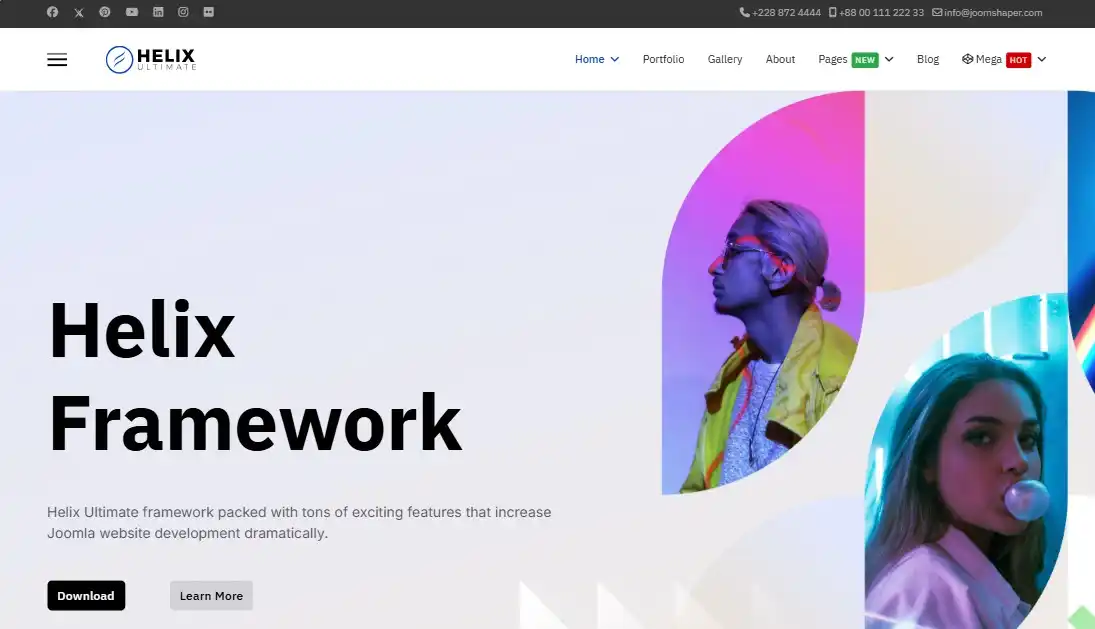
Helix Ultimate is both a standalone Joomla template and a framework you can use as the base for your own template. JoomShaper describes it as a universal template for businesses, portfolios, shops and blogs.
| Developer | JoomShaper |
|---|---|
| Type | Template framework and universal Joomla template |
| Version covered | 2.2.11 |
| Joomla compatibility | Joomla 6, 5 and 4 |
| CSS framework | Bootstrap 5 |
| Page builder | SP Page Builder supported (separate product) |
| Price | Free |
| Color presets | 8, editable |
| Header layouts | 2 ready-made, plus your own presets |
| Off-canvas menu layouts | 3 |
| Icon set | Font Awesome 5 (can be disabled) |
| Support | Documentation, community Facebook group, forum for JoomShaper members |
What can the drag-and-drop layout builder do?
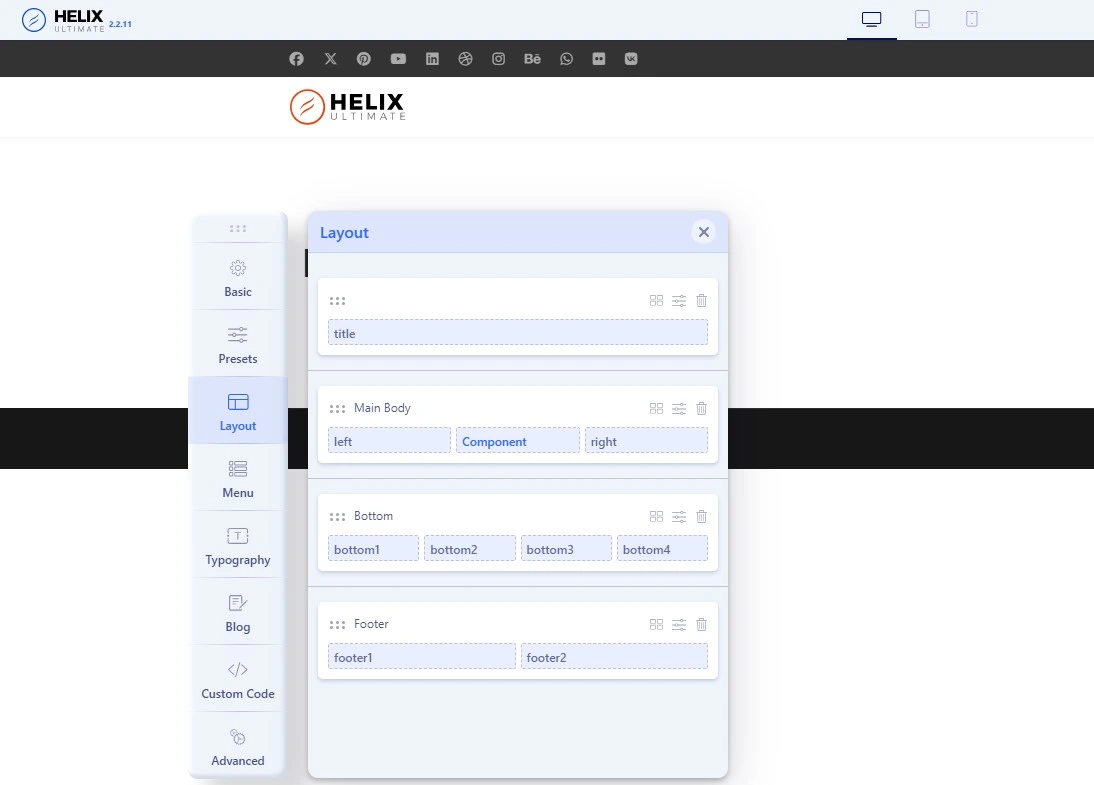
The layout builder lets you arrange your page structure in rows and columns and see changes in real time. JoomShaper also lists responsive controls: you can set font sizes, adjust logo and header heights, and check the layout for different devices.
In practice this means you can change the site structure without editing PHP files. It also pairs well with Joomla's own module positions, which decide where your modules appear inside that layout.
How good is the mega menu builder?
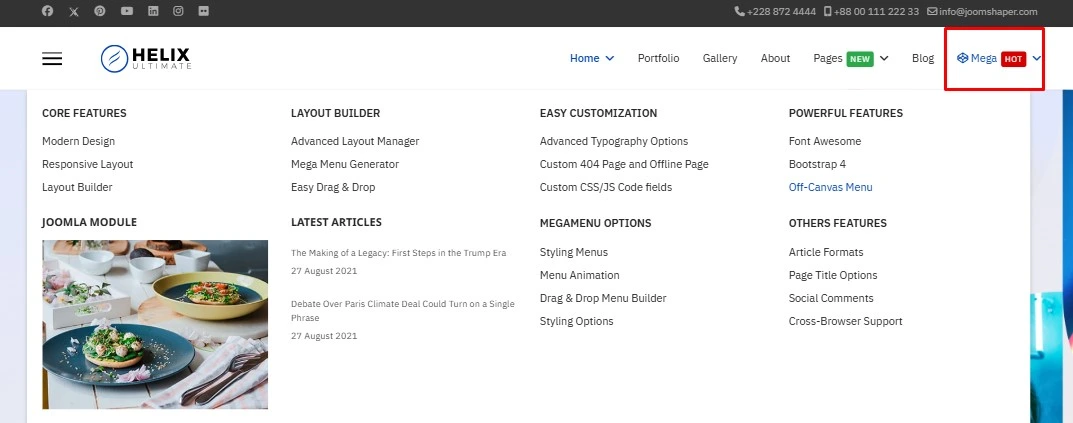
Helix Ultimate includes a drag-and-drop menu builder with a live front-end preview. You can set rows and columns inside a mega menu, add modules to it, and highlight items with badges. Three off-canvas menu layouts are available for mobile and small screens.
The builder works on top of your existing Joomla menus, so it helps to understand them first. See our guides to creating and managing menus in Joomla 6 and managing menu modules.
How customizable is Helix Ultimate?
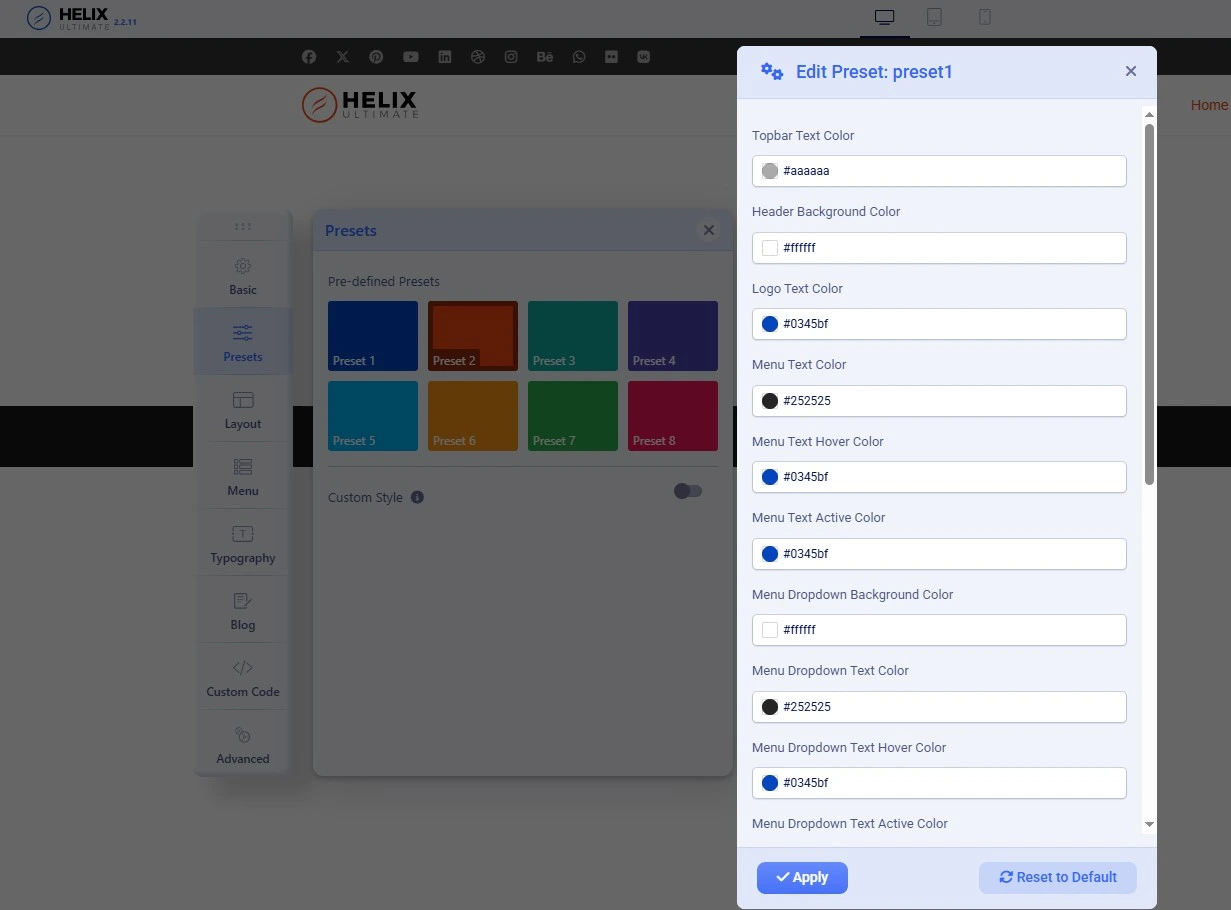
JoomShaper lists granular typography controls, editable color presets, retina logo support and unlimited custom CSS, JavaScript and SCSS files. You can also add custom code after the body tag and import settings from a JSON file.
- Typography: control fonts and text styling from the template options.
- Presets: switch the whole look with one of 8 presets, or edit them.
- Custom code: add your own CSS, JS or SCSS instead of editing core files.
- Logo: upload a standard and a retina logo. See adding a logo and favicon in Joomla 6.
When you need deeper changes to output, use Joomla's override system rather than touching the framework. Our guides on template overrides and overriding a module layout show how.
Does Helix Ultimate work with SP Page Builder?
Yes. Both products come from JoomShaper, and the Helix Ultimate page states that it supports SP Page Builder. The template gives you the global layout, menu and styling, while the page builder handles the content area of individual pages.
SP Page Builder is a separate product. JoomShaper's site lists its All Access plan from $159 (checked November 2026). Read our full SP Page Builder review before you decide whether you need it.
Is Helix Ultimate fast?
JoomShaper lists lazy loading, a refactored codebase and an option to disable resources you do not need, such as Font Awesome. These all help keep page weight down. JoomShaper does not publish benchmark numbers for Helix Ultimate, so this review gives none. Speed depends heavily on your hosting, images and caching.
In my own testing, Lighthouse scores were decent but not top-tier. Speed is not Helix Ultimate's strongest point, but the results are stable and consistent. Expect good results only if you pair it with solid hosting, caching and optimized images.
To measure and improve it yourself, start with our guides to Joomla page speed, Core Web Vitals and image optimization.
What blog and multilingual features are included?
JoomShaper lists blog options such as full-width blog layouts, social share buttons and integrated comments (IntenseDebate, Disqus and Facebook). It also lists an Ajax rating feature protected by Joomla's CSRF token, and multilingual support.
If you plan a multilingual site, read how to create a multilingual website in Joomla first, since language setup happens in Joomla itself.
What are the limits of Helix Ultimate?
- No upgrade from Helix3. JoomShaper says you cannot update from Helix3 to Helix Ultimate, though both can run side by side in different templates.
- Do not modify the framework. JoomShaper advises against editing it so future updates do not break your changes.
- Support depends on your plan. Without a JoomShaper membership you rely on documentation and the community Facebook group.
- Speed is average. JoomShaper publishes no benchmarks, and in my experience Lighthouse scores are decent but not top-tier. Test on your own hosting before launch.
Who should use Helix Ultimate?
| Your situation | Fit | Why |
|---|---|---|
| Freelancer building client sites on Joomla 5 or 6 | Strong | Free, visual builders, and clients can adjust layout and colors themselves |
| Developer creating your own template | Strong | Designed as a framework; selling templates built on it is allowed with no license fee |
| Beginner who wants a ready-made site | Good | The quickstart installs a full copy of the demo that you then edit |
| Site still on an old Helix3 template | Limited | No direct upgrade; you must rebuild on Helix Ultimate |
How much does Helix Ultimate cost?
Helix Ultimate is free. JoomShaper states it is completely free to download and use. You can sell templates built on it on any marketplace without a license fee or credit, as long as you keep the JoomShaper copyright marks in the source code.
Price
Free
Get Helix Ultimate from JoomShaper →
How do you get started with Helix Ultimate?
- Check that your host meets Joomla 6 hosting requirements.
- Download Helix Ultimate from JoomShaper's download page.
- Install the quickstart for a full copy of the demo, or install the template on an existing Joomla site.
- Adjust the layout, menu, presets and typography in the template options.
- Optionally add SP Page Builder for page-level design.
New to Joomla? Our Joomla 6 newbie guide covers the basics first.
Frequently Asked Questions
Is Helix Ultimate free?
Yes. JoomShaper says Helix Ultimate is completely free to download and use. You only pay if you choose to add other paid JoomShaper products, such as SP Page Builder.
Does Helix Ultimate work with Joomla 6?
Yes. JoomShaper lists version 2.2.11 as compatible with Joomla 6, 5 and 4. Always back up your site and read the release notes before updating the template on a live site.
Is Helix Ultimate a template or a framework?
Both. You can install it as a standalone Joomla template, or use it as the base to build your own template with its layout builder and options panel.
Can I upgrade from Helix3 to Helix Ultimate?
No. JoomShaper says Helix Ultimate was rebuilt from scratch, so there is no direct update from Helix3. You can run Helix3 and Helix Ultimate side by side in different templates.
Can I sell templates built with Helix Ultimate?
Yes. JoomShaper allows selling templates based on Helix Ultimate with no license fee or credit. Keep the JoomShaper copyright marks in the source code and avoid modifying the framework itself.
Do I need SP Page Builder to use Helix Ultimate?
No. Helix Ultimate can be used as a standalone template. SP Page Builder is a supported, separate JoomShaper product you can add for visual page design.
Final Verdict: Should you use Helix Ultimate?
For most Joomla 4, 5 and 6 projects, Helix Ultimate is a sensible free base. The visual layout and menu builders, Bootstrap 5 foundation and SP Page Builder support cover what most sites need without paying for a template. It earns my 8.5/10 for stability and steady updates rather than raw speed. The trade-offs are manageable: plan a rebuild if you are on Helix3, extend it through custom code and overrides rather than editing the framework, and tune performance on your own host.
If you want a complete design for one specific industry rather than a flexible base, compare paid templates in our themes category and browse more reviews.
Helix Ultimate
Free
Download from JoomShaper →
What's next?
- SP Page Builder review (2026): the page builder that pairs with Helix Ultimate
- Template overrides made easy in Joomla 6: customize output safely
- Joomla Core Web Vitals: measure and improve speed
- Joomla 5 vs Joomla 6: should you upgrade now?
✅ Last verified against JoomShaper's published details for Helix Ultimate 2.2.11 (Joomla 4, 5 and 6) — November 2026
Affiliate disclosure
Links to JoomShaper in this article are affiliate links. See the affiliate disclosure.
Related posts

Thanh Le
Joomla Specialist & Technical Writer
Thanh Le is a Joomla expert and technical writer at Jlvextension.com, known for creating in-depth tutorials, extension reviews, and optimization guides. His work focuses on helping developers and webs